A budget golf launch monitor — the sub-$1,000 segment — gives you reliable ball-data essentials (ball speed, launch angle, carry estimate) and, in the better units, a usable read on direction and spin, while everything above that price climbs into full club-data and measured-spin territory. In my sim room I run a budget radar unit and a photometric workhorse against the same swings, and the honest verdict is this: at this price you are not buying tour-grade accuracy, you are buying numbers consistent enough to practice against. This guide explains exactly which numbers to trust, which to ignore, and how to pick the right cheap monitor without overpaying for marketing.
I wrote this the way I size a room — from what I have actually measured, not from a spec sheet. Below I break the budget category into the two technologies that fight over it, the data you can rely on at this price, the honest limits of the most popular units, and the buying decisions that matter. Every deep-dive question gets its own linked article so you can go straight to the one you are stuck on.
What “Budget” Actually Means Here
This guide covers the sub-$1,000 segment only — the radar and camera units a first-time sim builder genuinely considers. Above this sits a different conversation entirely: the $1,000–$3,000-plus tier of measured-spin photometric units and the premium camera systems, which I treat separately because the buying logic, the data you get, and the room demands all change. If you are weighing a SkyTrak+-class or GCQuad-class purchase, that is the high-end conversation, not this one. Here, the whole point is getting trustworthy practice data for the least money — and being honest about where the corners get cut to hit the price.
The single most important thing to understand before you spend a krona: at this price, a launch monitor is a measuring instrument with known blind spots, not a coach. It will not fix your swing, and the cheaper the unit, the more of its “data” is calculated rather than measured. Knowing which is which is the entire skill of buying well down here.
Radar vs Photometric: The Two Cheap Roads
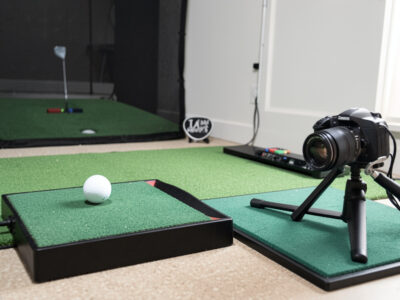
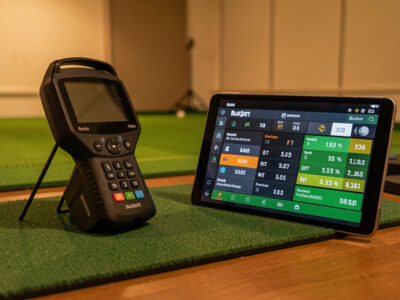
Every budget monitor takes one of two roads to your data. Radar (Doppler) units sit behind or beside the ball and track the ball — and sometimes the club — through the air using the Doppler shift of a microwave signal. Photometric (camera) units sit beside or above the hitting area and photograph the ball at impact, reading speed, launch, and spin from high-speed images of the ball’s dimples and markings.
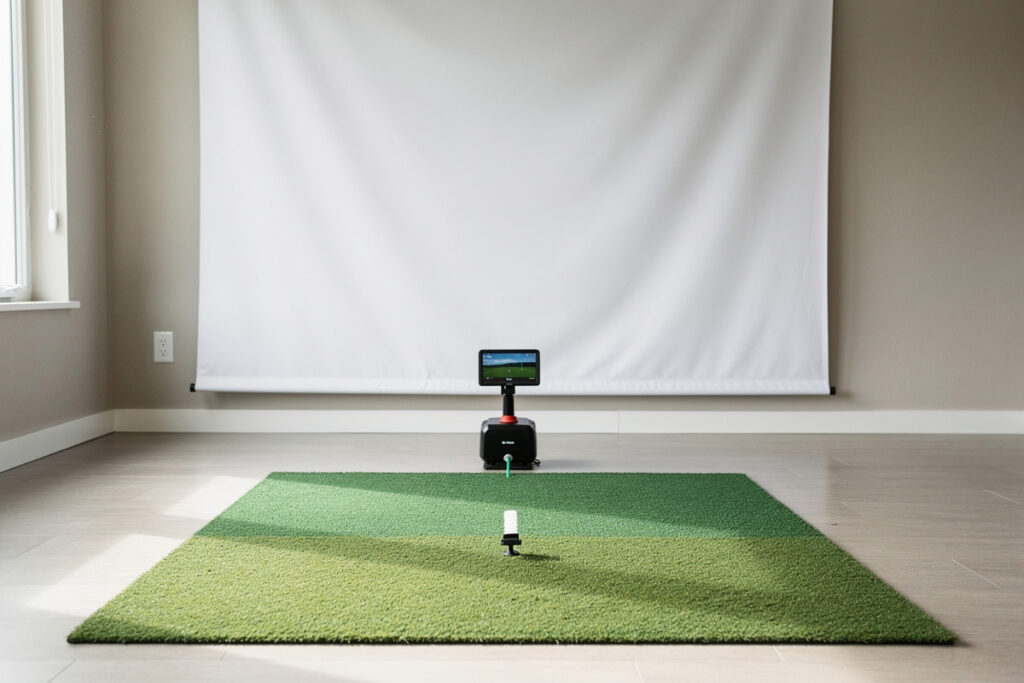
Neither is “better” in the abstract; each trades something to hit a budget price. Radar units generally want depth — several feet of clean read distance behind the strike so the unit can watch enough ball flight to compute carry. That makes them awkward in shallow rooms and outdoors-friendly by nature. Photometric units capture everything at the instant of impact, so they tolerate a shorter room, but they are fussier about lighting, ball placement, and marked balls, and a unit jammed too close to a wall can misread. The full trade-off — read distance, lighting, ball marking, indoor versus outdoor behavior, and which one suits a given room — is laid out in my radar vs photometric budget monitor breakdown.
In my own room the practical difference showed up immediately: the radar unit needed me to respect its read corridor or it threw garbage carries, while the camera unit needed consistent lighting and a marked ball or its spin numbers wandered. Same swings, two different sets of demands. That is the real choice at this price — not which brand, but which set of compromises fits your space.
The Data You Can Actually Trust at This Price
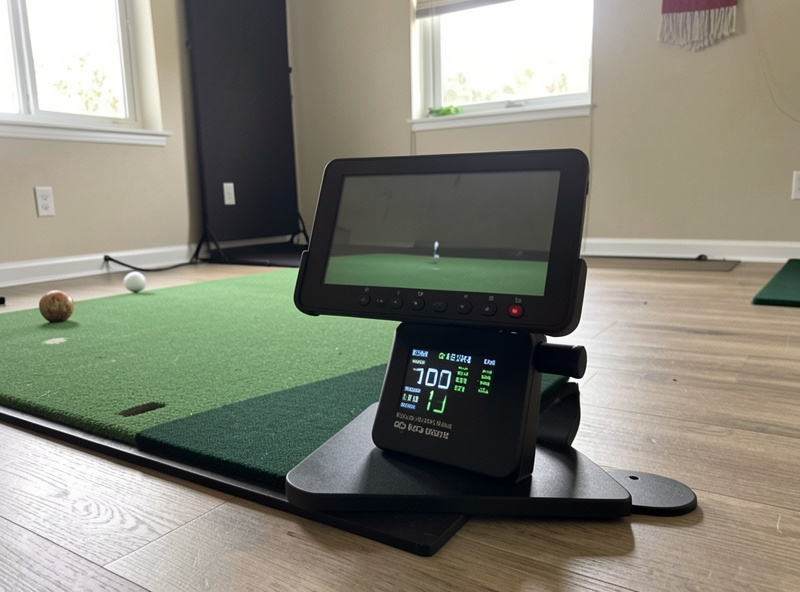
The marketing for every cheap monitor lists a dozen data fields. In practice, at this price, they sort into three tiers of trust. Directly measured and reliable: ball speed is the one number almost every budget unit nails, because it is the easiest physical quantity to capture and the one the whole flight model leans on. Measured but condition-dependent: launch angle and ball direction are usually solid when the unit is set up correctly and the lighting or read distance is right. Calculated, treat with suspicion: spin and the club-data fields (club path, face angle, smash on some units) are frequently derived from a model rather than directly measured down here, and that is where the divergence between a $600 unit and a $6,000 one really lives.
The rule I practice by: trust ball speed and the shape of your dispersion; use spin and “club data” for trends, never for fine-tuning. If a cheap unit tells you your seven-iron carries a different distance than your eight-iron in the same direction with a sensible gap between them, that pattern is real and useful. If it hands you a spin number to the single RPM and you start chasing it, you are tuning to noise. The full breakdown of which fields are measured versus modeled, and how to read each one honestly, is in my what data to trust at this price guide.
This matters because the wrong mental model wrecks practice. A budget monitor used as a relative instrument — tracking your own gaps, dispersion, and trends session to session — is genuinely valuable. The same monitor used as an absolute truth machine, where every number is gospel, will have you fixing problems that are really just measurement scatter.
The Garmin R10: The Reference Point and Its Edges
No budget article can skip the Garmin Approach R10, because it is the radar unit most people in this segment actually buy, and it is the one I keep as my budget-radar reference. I know it to its edges: what it does well, where it quietly invents numbers, and the setup discipline it demands to behave. It nails ball speed, gives a usable carry once you respect its read distance, and its phone-and-app ecosystem is genuinely good for the money. But it is a model-heavy unit — several of its headline data fields are calculated, not measured — and it rewards a clean setup and punishes a sloppy one.
The honest, lived account of what the R10 measures versus models, the read distance it needs, where its spin and club numbers wander, and the practice it is genuinely good for lives in my Garmin R10 honest limits article. And because the most common cross-shop in this price band is the R10 against a photometric alternative, I put the two technologies head to head — same swings, where the numbers diverge — in Garmin R10 vs the MLM2PRO, the radar-versus-camera decision at the budget price.
Buying Without Overpaying
Two buying questions dominate this segment. The first is simply which new unit, and the answer almost always comes back to room shape and what you will actually do with the data — a radar unit if you have depth and want outdoor use, a photometric unit if your room is shallow and your lighting is controllable. I walk the full new-buyer decision, including the sub-$1,000 shortlist logic and the features that genuinely matter versus the ones that are spec-sheet filler, in my launch monitor under $1,000 guide.
The second question is whether to buy used, which is where real money gets saved — and where real money gets lost. Launch monitors are electronics with firmware, batteries, and calibration that can drift, and a used unit from the wrong source can be a brick or a unit cut off from the subscription features that made it worth owning. The inspection checklist I use — battery health, firmware and account-transfer status, the test swings that expose a miscalibrated unit, and the price math that tells you when used actually beats new — is in buying a used launch monitor.
The Budget Segment at a Glance
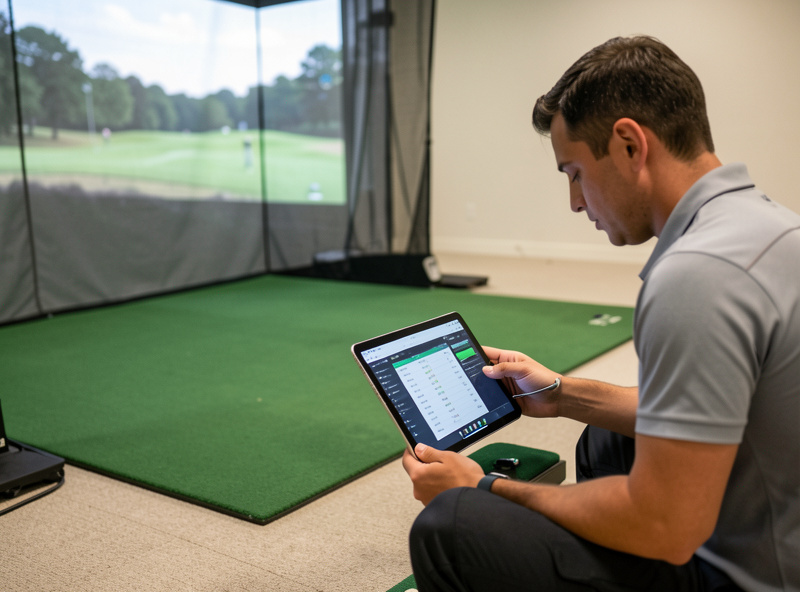
Here is the summary I hand people who message me asking “which cheap monitor should I get?” It is not a ranking — it is the decision framework, because the right answer depends entirely on your room and what you want from the data.
| Question | Radar (Doppler) Road | Photometric (Camera) Road |
|---|---|---|
| Room depth needed | More — wants clean read distance behind strike | Less — captures at impact, tolerates shallow rooms |
| Lighting sensitivity | Low — works in varied light, outdoor-friendly | Higher — wants consistent, controlled lighting |
| Marked ball needed | Usually no | Often yes for reliable spin |
| Most-trusted number | Ball speed, carry (with read distance respected) | Ball speed, launch, direction |
| Weakest data | Spin and club fields often modeled | Spin good only with marked ball + good light |
| Best fit | Deeper rooms, indoor-outdoor use | Shallow rooms, controllable lighting |
Read the row that matches your room first. If you have depth and want to take the unit to the range, the radar road is natural. If your room is shallow and you can control the light, the camera road frees up your floor. Either way, the data-trust rules above apply: ball speed and dispersion are your friends, spin and modeled club numbers are for trends only.
Why the Price Jump Above $1,000 Exists
It helps to understand what you are not getting at the budget price, because that is what justifies the units above it. The single biggest dividing line is measured versus modeled spin. Spin is the hardest ball-flight quantity to capture cheaply: doing it directly means either a fast camera reading the ball’s markings frame by frame or a radar with enough resolution to track the spin signature, and both cost money. Most budget units lean on a model — they infer spin from launch and speed and club type — which is fine for trends but wanders on mishits and off-center strikes, exactly when you most want the truth.
The second dividing line is club data. Genuine club-path, face-angle, and angle-of-attack numbers need the instrument to see the club through impact, not just the ball afterward. Some budget units bolt on a club-tracking accessory or a model to approximate this, but it is the first thing I distrust on a cheap unit. If you are buying primarily to work on club delivery, that is a reason to consider the next tier up, which I treat as a separate decision in the high-end conversation rather than here. For ball flight and gapping, though, budget is plenty.
The third thing the price buys is consistency across conditions — shot-to-shot repeatability, tolerance for poor lighting, robustness to where exactly the ball sits. A budget unit can be accurate on average while scattering more on any single shot, which is why I always read budget data as a cloud, never a point. None of this makes budget monitors bad; it makes them instruments with a known envelope. Stay inside the envelope and they are honest. The full field-by-field map of where that envelope sits is the whole point of my what data to trust at this price guide, and the radar-versus-camera version of the same trade-off is in the radar vs photometric breakdown.
Setting a Budget Unit Up So It Tells the Truth
More budget-monitor complaints come from setup than from the hardware. A unit accused of “bad data” is usually a unit fighting its environment. For a radar unit, the cardinal rule is read distance: give it the clean corridor behind the strike it asks for, keep the area free of clutter that throws spurious returns, and place it square to the target line. Skip that and the carry numbers go feral — which is the exact failure I document in the Garmin R10 honest limits article, because the R10 is the unit most people set up wrong first.
For a photometric unit, the cardinal rule is lighting and ball presentation: consistent, even light, a marked ball oriented the way the unit wants, and the ball placed in the exact capture zone every time. A camera unit starved of light or fed an unmarked ball will hand you spin numbers that look precise and are fiction. That is the failure mode I weigh when I put the two technologies head to head in Garmin R10 vs the MLM2PRO — radar wants space, camera wants light, and your room decides which compromise you can actually meet.
The other half of “telling the truth” is the room itself. A monitor cannot report a clean swing if you are flinching away from a wall or a low ceiling. This is why I keep sending budget buyers back to the room requirements guide first — and to the room depth breakdown in particular for radar units, since depth is the dimension a behind-ball radar lives or dies on. Get a confident, unhurried swing in a properly sized space, set the unit up to its own rules, and budget data becomes genuinely trustworthy for the things it measures.
New or Used: How to Decide
Once you know the technology and you have set realistic data expectations, the last fork is new versus used. New gets you warranty, current firmware, and a clean subscription start; used gets you a lower price and the risk of inheriting someone else’s problem. The math is rarely as simple as the sticker, because several budget units gate their best features behind a subscription that may or may not transfer. I lay out the full new-buyer shortlist logic in the launch monitor under $1,000 guide and the used-buyer inspection routine — battery, firmware, account transfer, the test swings that catch a miscalibrated unit — in buying a used launch monitor. And if your room turns out to be the constraint rather than your wallet, the low-ceiling options and room width articles will tell you which monitor placement your space can actually support before you spend anything.
The Buying Order I Stand By
One more rule before you shop, the same one I apply to the whole sim build: spend on the room before you spend on the monitor tier. A budget monitor in a room with proper swing clearance, a decent mat, and clean ball flight outperforms a pricier unit crammed into a space where you flinch on every driver. If you have not sized your space yet, start with my golf simulator room requirements guide and the room depth breakdown — depth especially matters for radar units. The monitor is the component you can upgrade later; the room usually is not.
Get the room right, pick the technology that fits it, and then buy the cheapest unit that gives you trustworthy ball speed and honest dispersion. That is the whole budget-monitor doctrine. Everything else — the spin numbers, the club fields, the head-to-head spec wars — is detail you tune later, once the fundamentals are measuring true.
One last reframe that saved me money and frustration: stop thinking of the budget monitor as a smaller version of an expensive one, and start thinking of it as a different tool with a narrower job. Its job is to tell you, reliably, how fast the ball left and roughly where it went, so you can build feedback loops around gapping and dispersion through a long indoor winter. Held to that job, a sub-$1,000 unit is not a compromise — it is the correct tool, and the money you would have spent climbing a tier is better put toward the mat, the screen, and the room that let the unit do its job in the first place. That is the order I rebuilt my own setup in, and it is the order I would tell anyone starting today to follow.
What a Budget Monitor Actually Costs You in Data — and What It Doesn’t
People fixate on the price gap and forget to ask what the gap actually changes about their practice. So here is the honest accounting from my own sessions. The budget unit costs you measured spin and trustworthy club delivery — full stop. What it does not cost you is the two things that drive almost all amateur improvement indoors: a reliable ball-speed reference and an honest picture of where your shots scatter. I have spent a full Swedish winter practising gapping off a sub-$1,000 radar unit and come out the other side hitting my numbers on the course, because the gaps the cheap unit showed me were real even when its spin figure was a polite guess.
The trap is the upgrade itch — the quiet voice that says a pricier monitor would fix your inconsistency. It won’t. Inconsistency lives in the swing and the room, not the sensor. The first winter I let myself believe the data scatter was the unit’s fault, I nearly spent four times the money chasing a number; what actually fixed it was respecting the read distance and committing to the swing. Held to its real job — ball speed and dispersion through a long indoor off-season — a budget monitor is not a stepping stone you outgrow. It is the right instrument, and the money you save belongs in the mat, the screen, and the room.
Keep Building
If you are working the budget-monitor decision end to end, take the deep dives in the order the questions actually hit you: start with the radar vs photometric breakdown to pick your road, then read which data to trust at this price so you know what you are buying. From there, the launch monitor under $1,000 shortlist and the Garmin R10 honest limits walk the new-buyer path, the R10 vs MLM2PRO head-to-head settles the most common cross-shop, and the used-buyer inspection routine tells you when secondhand actually wins. Before you spend a krona, though, size the space: the room requirements guide, the room depth breakdown, the room width guide, and the low-ceiling options decide which monitor your room can even support.
Frequently Asked Questions
Is a budget golf launch monitor accurate enough to practice with?
Yes, with the right expectations. At the sub-$1,000 level, ball speed and the overall shape of your dispersion are reliable enough to practice against, which is most of what improvement-focused practice needs. Spin and several club-data fields are often calculated rather than measured at this price, so treat those as trend indicators, not precise truths.
Should I buy a radar or a photometric launch monitor on a budget?
It comes down to your room more than the brand. Radar units want depth, a clean read distance behind the strike, and tolerate varied lighting, which suits deeper rooms and outdoor use. Photometric units capture data at impact so they fit shallower rooms, but they want consistent lighting and often a marked ball for reliable spin.
What launch monitor numbers can I trust at this price?
Ball speed is the number almost every budget unit measures reliably. Launch angle and ball direction are usually solid when the unit is set up correctly. Spin and club-data fields like club path, face angle, and smash factor are frequently modeled rather than directly measured down here, so use them for trends, not to chase to the single RPM or degree.
Is the Garmin R10 still worth buying?
It remains the most-bought radar unit in the budget segment for good reasons: reliable ball speed, a usable carry once you respect its read distance, and a strong app ecosystem for the money. Its limits are equally real, since several headline numbers are calculated and it rewards a disciplined setup. The right answer depends on your room and lighting.
Is it safe to buy a used golf launch monitor?
It can save real money, but launch monitors are electronics with firmware, batteries, and account-tied subscription features. Check battery health, confirm the firmware and any account or subscription can transfer to you, and run test swings that would expose a miscalibrated unit. Buy from a source that allows verification before you pay.
How much room do I need for a budget launch monitor?
It depends on the technology. Radar units need enough depth for a clean read corridor behind the strike, so a shallow room can starve them of the flight they need to compute carry. Photometric units capture at impact and tolerate less depth but want controlled lighting. Size your room before you buy.
Keep Building — Complete Spoke List
Full spoke list of the Budget Launch Monitors cluster:
- “Garmin R10 vs MLM2PRO: Radar or Camera on a Budget”
- “Which Budget Launch Monitor Data to Actually Trust”
- “Buying a Used Golf Launch Monitor: My Checklist”
- “The Best Launch Monitor Under $1
- “Radar vs Photometric: The Budget Launch Monitor Choice”
- “Garmin R10: The Honest Limits I Found”
More From This Site
Other guides across budget launch monitors and the rest of the Virtualgolfmansion library:
- “Golf Sim Enclosure Blackout and Lighting Basics”
- “Projector vs TV for a Golf Simulator: Which to Choose”
- “How to Clean a Golf Impact Screen (and What Ruins One)”
- “Golf Sim Bounce-Back Safety: Screen Slack
- “EMT Conduit Golf Sim Enclosure Frame: A Build Walkthrough”
- “Golf Impact Screen Material: How to Choose for a Home Build”
- “DIY Golf Simulator Enclosure: Frame
- “Garmin R10 vs MLM2PRO: Radar or Camera on a Budget”
- “Which Budget Launch Monitor Data to Actually Trust”
- “Buying a Used Golf Launch Monitor: My Checklist”
- “The Best Launch Monitor Under $1
- “Radar vs Photometric: The Budget Launch Monitor Choice”
- “Garmin R10: The Honest Limits I Found”
- “Golf Simulator Room Depth: The Three Zones Explained”
- “Golf Simulator Screen Distance: Safe and Sharp”
- “The Garage Golf Simulator Reality Check”
- “Low-Ceiling Golf Simulator Options That Actually Work”
- “Room Width for a Golf Simulator: Centered and Safe”
- “Golf Simulator Ceiling Height: How Much You Really Need”
- “Golf Simulator Room Requirements: The Complete Tape-Measure Guide”