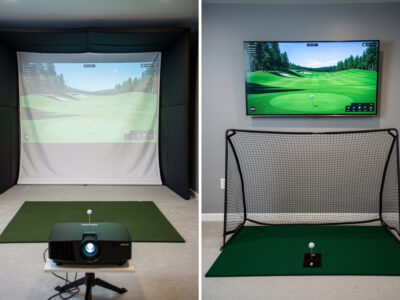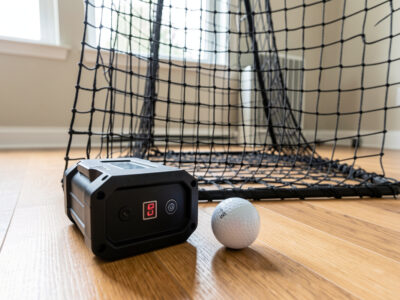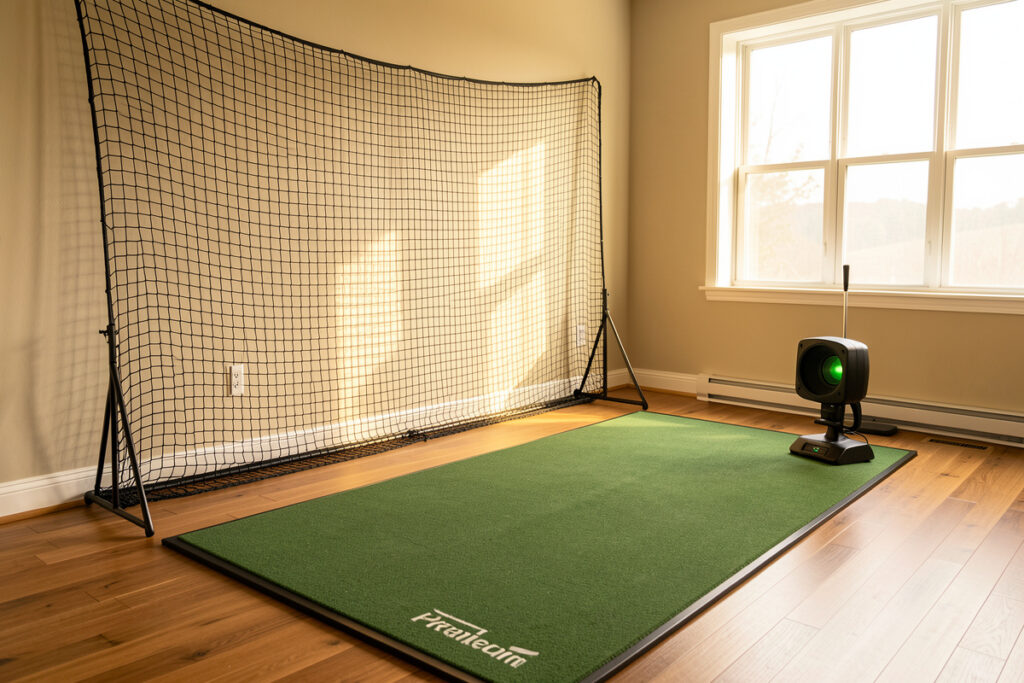
A net-only golf setup is the leanest way to keep a real swing alive indoors: a hitting net, a quality mat, and a launch monitor for data, with no impact screen and no projector. In my sim room I run a full enclosure now, but I started the way most people should — net first, screen later. A workable net-only corner needs about 9 feet of ceiling, 12 feet of depth, and a net rated to stop a 150-mph ball.
This guide is the room-first walkthrough I wish someone had handed me before the Swedish winter took my golf season away. The net is the cheapest component on the list, but it is the one that decides whether you practice safely in the space you actually have. Everything here is written from a tape measure and from hitting real swings into real netting, not from a product page.
What a Net-Only Golf Setup Actually Is
A net-only setup is a practice station, not a course simulator. You hit into netting that absorbs the ball, you read your numbers off a launch monitor, and you see ball flight as data instead of a projected picture. The trade is honest: you give up the visual immersion of a screen and gain a build that costs a fraction as much and fits a room a full enclosure never could.
Who it is for: apartment dwellers, renters who cannot frame a permanent enclosure, anyone testing whether they will actually practice through a winter before spending screen-and-projector money, and golfers who only want swing reps and dispersion feedback. I treat the net stage as the entry point to the same hobby — the launch monitor you buy now carries straight into a screen build later, so no money is wasted if you upgrade.
The Room Comes First: What Space a Net Really Needs
Ceiling height kills more net dreams than budget does. A net needs roughly the same swing clearance as a screen build because the constraint is your driver arc, not the target. At my height I need about 9 feet to swing a driver without feeling the ceiling, and 8.5 feet is the honest floor for most adults making a stock swing. Below that you are into shortened-club territory, which is a real option but a different article — my low-ceiling options piece covers it.
Depth is the second number. You want the ball to slow before it reaches the netting, plus room for you to stand behind the ball. I plan around 12 feet minimum from where you stand to the net face, and more is better — a tight net with no slack and no run-out is where bounce-back happens. My three-zone room-depth breakdown applies to nets exactly as it does to screens.
Width matters because of the side miss. A centered, square net does not protect you from a hard pull or a shanked ball that leaves at 30 degrees. I want at least 10 feet of width so a centered station has side margin, and I add side netting when the room is narrow. The full set of numbers lives in my tape-measure room requirements guide, and the room-width article covers centering.
Choosing the Net: Baffle, Pocket, and Cage Designs
Hitting nets fall into three honest categories, and the difference is how they kill ball energy. A baffle net hangs a loose front sheet in front of a tensioned backstop; the ball hits slack fabric, loses speed, and drops dead. A pocket-style net catches the ball in a target pocket and is the most compact, but it concentrates wear in one spot. A full cage surrounds you with netting on the sides and top and is the safest for wild misses, at the cost of footprint and price.
For materials, the spec that matters is the net rating — the ball speed the netting is built to stop. I will not hit a driver into anything rated below tour ball speeds, because a driver smash can exceed 150 mph off the face and cheap garden netting simply does not stop that. Look for knotless, high-denier polyester or nylon, and treat any net with no published speed rating as a range net for wedges only.
The biggest mistake I see is buying on price and discovering the net has no slack. Slack is what absorbs energy; a drum-tight net is a trampoline. I cover the physics of that in detail in the bounce-back safety guide, and it applies double to nets because there is no heavy impact screen in front to do the work. If you are shopping, a search for a heavy-duty driver-rated hitting net filters out the wedge-only toys quickly.
As an Amazon Associate I earn from qualifying purchases.
Net Frame Types: Freestanding, Corner, and Ceiling-Hung
How the net is held up changes the room as much as the netting does. A freestanding frame is the apartment-friendly default — it assembles without drilling, packs away, and suits renters who cannot touch the walls. The trade is footprint and stability: a tall freestanding frame catches a side miss and can tip if it is not weighted, so I anchor the base feet and never run one on a slick floor.
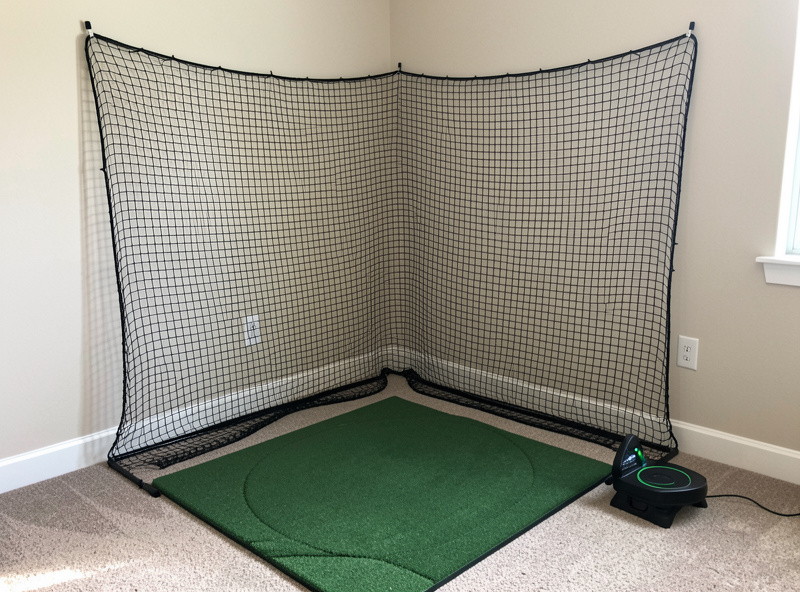
A corner net uses two existing walls to do half the work, which is the most space-efficient option for a small flat. It hangs the netting across a 90-degree corner and gives you a deep pocket for the ball to die into. The catch is that you must trust the walls behind it; I add a backstop sheet so a missed knot does not put a ball into the plaster.
A ceiling-hung net is the cleanest-looking and the most permanent. It frees the floor entirely and lets you tension the net properly, but it needs joists you can reach and the willingness to put hooks in the ceiling — usually a homeowner move, not a renter one. Whatever the frame, the rule that does not change is slack: the netting must hang loose enough to absorb energy, because a frame that pulls the net drum-tight turns it into a bounce-back hazard.
Adding Data: A Launch Monitor With No Screen
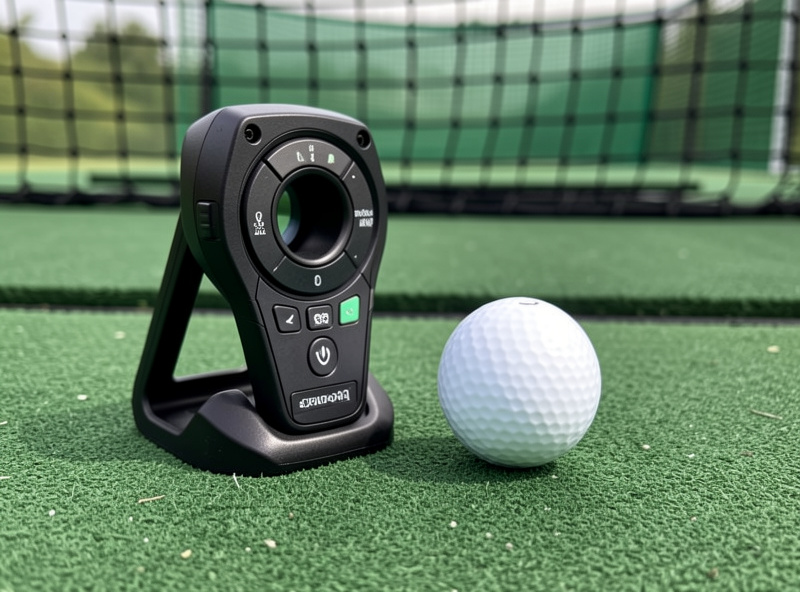
The thing that turns a net from a place to swing into a practice tool is the launch monitor. Without a screen you lose nothing on the data side — the monitor measures the same carry, ball speed, launch angle, and spin whether or not a picture is projected. The only change is placement, because there is no screen offset to design around.
This is where the net-only build splits by monitor type. A radar unit like the Garmin Approach R10 sits behind you and needs several feet of ball flight to track, which a deep net room provides. A photometric unit like a SkyTrak+ sits beside the ball and reads impact, so it cares less about room depth and more about a clean view of the strike. I run both in my room and the placement logic genuinely differs — I wrote the whole no-screen placement walkthrough in golf net and launch monitor, no screen. If you want the buying side first, start with my budget launch monitor guide and the radar vs photometric breakdown.
Reading Ball Flight When There Is No Picture
The honest learning curve of a net-only build is not the swing — it is reading numbers instead of watching a ball land. On a screen the shot draws itself. On a net the ball dies two feet away and you look down at carry, ball speed, launch angle, spin and side spin to know what happened. This is a feature, not a loss: a screen flatters your eye, while the data tells you the dispersion you would never see from a ball that vanished into fabric.
The two numbers I coach people to live on first are carry and dispersion. Carry tells you the club gapping you actually have, which is almost always different from the loft on the head. Dispersion — how far left and right your shots scatter from line — is the single most useful thing a net setup teaches, because the net hides the miss your eye would have tracked outdoors. I keep a simple session log of carry and side number per club; my shot data explained guide and the dispersion-reduction walkthrough are the two reads that turn raw numbers into practice.
One caution that applies only to nets: with no ball flight to confirm the read, a bad mat lie or a monitor placed wrong will quietly poison your data and you will not catch it the way a screen miss would jump out. That is why mat quality and correct monitor placement matter more on a net than they do behind a screen.
Apartment Reality: Ceiling, Floors, and Neighbors
Most net-only setups exist because someone lives in an apartment, and apartments add two constraints a house basement does not: a hard ceiling number you cannot change, and shared walls and floors. The ceiling is the deal-breaker more often than not — many flats run 8 feet flat, which is right at the edge for a full driver swing. I walk through measuring your real swing clearance and the honest workarounds in the apartment golf sim ceiling reality guide.
The other apartment problem is noise, and it is the one people underestimate. The loud part of a net setup is not the ball hitting fabric — it is the club striking the mat, which transmits straight through a concrete floor to the unit below. I measured my own setup and broke down what actually travels and what does not in the noise to neighbors honest take. If you share a floor, read that before you buy anything.
Safety: The Side Miss Is the Real Risk
A net stops the shot you aimed. The shot that hurts someone is the one you did not aim — the cold-top that scoots under the net, the shank that leaves at 40 degrees, the pull-hook that misses the netting edge entirely. A net-only build has no enclosure walls to catch those, so safety is about margin and side protection, not just buying a strong backstop.
My rules are simple and I do not bend them: leave slack in the net, add side netting whenever the room is narrow, never let anyone stand beside the hitting line, and inspect the net for wear before every session. A frayed knot near the impact zone is a ball waiting to come back. The full failure-mode walkthrough — frame tip-over, ball-out, fabric fatigue — is in the golf practice net safety guide, and it is the one piece in this cluster I would not let you skip.
The Net-Only Mistakes That Cost Me Money
Every one of these I either made myself or watched a friend make, and each has a number attached. The first is buying a net with no slack and no published speed rating, then hearing a ball crack back off it on the second session. A drum-tight, unrated net is a trampoline, not a backstop, and against a driver that can leave the face above 150 mph it is the fastest way to put a ball through a television.
The second is spending on a fancy cage and skimping on the mat — backwards, because the mat is the one component touching every single swing, and a hard budget mat punishes your wrists and lies to your data at the same time. The third is placement, not gear: I once set a radar Garmin Approach R10 barely three feet from the net in a 10-foot room, starved it of tracked flight, and watched the spin numbers wander; the same unit in a 14-foot room reads rock-steady. Depth feeds a radar what it needs.
The fourth is the side miss nobody plans for. A shank or hard pull can leave at 30 to 40 degrees and sail past a centered net entirely, which is why I add side netting in any room under about 11 feet of width rather than trusting a square backstop. Get those four right at the start — rated net with slack, a real mat, monitor matched to room depth, and side protection — and a net-only room comes out cheaper, safer, and more honest than most screen builds I have stood in.
Net-Only vs Full Enclosure: The Honest Upgrade Path
People ask whether the net is a waste if they will eventually want a screen. It is not, as long as you buy the launch monitor and mat with the upgrade in mind — those two carry over completely. The net itself becomes a backstop behind a future screen or moves to a garage. Here is how the two builds actually compare in the room.
| Factor | Net-Only Setup | Full Screen Enclosure |
|---|---|---|
| Typical hardware cost | Net plus monitor plus mat | Adds screen, frame, projector, PC |
| Minimum ceiling | About 8.5 to 9 ft | About 9 to 9.5 ft (same swing, plus screen) |
| Minimum depth | About 12 ft | About 15 ft (ball flight plus screen offset) |
| Visual feedback | Data only on the monitor | Projected ball flight and courses |
| Course and game play | No (practice station) | Yes (GSPro, E6 Connect) |
| Noise profile | Mat strike only | Mat strike plus screen impact |
| Best for | Apartments, renters, swing reps | Owned space, full immersion |
If you decide the screen is worth it later, my DIY enclosure build guide and the impact screen material guide are the next two reads. The projector vs TV decision comes after that.
What a Net-Only Build Costs, Roughly
I will not quote prices that will be wrong by the time you read this, but the shape of the spend is stable and worth understanding. In a net-only build the launch monitor is almost always the largest single line, the mat is the second, and the net itself is usually the smallest — which surprises people who assume the net is the expensive part. That ordering is exactly why skimping on the monitor to splurge on a fancy cage is backwards.
The money you save versus a full enclosure is real: you skip the impact screen, the frame lumber or conduit, the projector, and the gaming PC to drive it. Those four items are typically the bulk of a screen build, and a net build needs none of them. My budget breakdown lays out where money actually buys practice value across every tier, and the short version is the same here as everywhere: spend on the data you can trust and the surface you swing off, not on cosmetics.
A sane way to scale the budget is to decide your monitor type first, because that anchors everything. A radar unit keeps the entry price low and rewards a deep room; a photometric unit costs more but reads strike directly and suits a shallow apartment. From there the mat and net are graded to the room, not the other way around.
My Build Order for a Net-Only Room
Buying order saves more money than any single deal. I build a net-only room in this sequence, and I have re-learned the hard way that skipping a step costs more than it saves. The room budget — space, net, and mat — buys more practice value than chasing the next monitor tier, and almost nobody selling monitors will tell you that.
First, measure the room honestly: ceiling at the apex of your swing, depth, width with side margin. Second, buy a net rated for driver speed with real slack. Third, buy the best mat you can afford, because a budget mat punishes your wrists and lies to your data both — my hitting mat guide explains why and the wrist-friendly mat article covers comfort. Fourth, add the launch monitor that fits your room shape. Fifth, structure the practice so it transfers — a net rewards block practice but you still need a plan, which is what my winter practice guide is for.
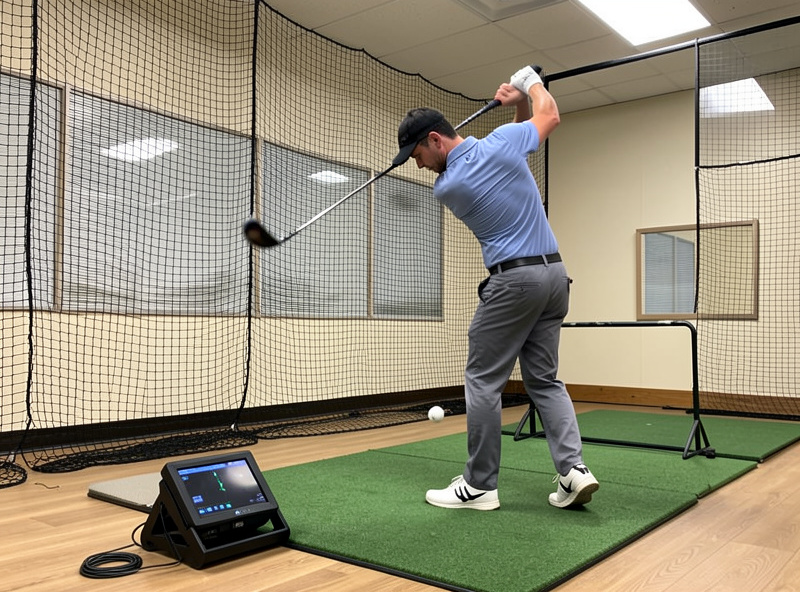
That is the whole net-only path: room first, net rated for the speed you actually swing, a mat that protects you, a monitor that fits the space, and a safety habit you never drop. Do it in that order and the net stage is not a compromise — it is the smartest first version of a sim you will ever build.
Frequently Asked Questions
Can you use a launch monitor without an impact screen?
Yes. A launch monitor measures the same ball and club data whether or not a screen is present. With a net you simply read carry, ball speed, spin and launch off the device. Radar units need room depth behind you; photometric units only need a clear view of impact.
How much ceiling height do you need for a net-only golf setup?
About 8.5 to 9 feet for most adults making a full driver swing. The net does not change the constraint; your swing arc does. Measure at the top of your actual swing, not the room center, because the club rises behind your head.
Is a golf net safe enough to hit driver into?
Only if the net is rated for driver ball speeds, which can exceed 150 mph. Buy a net with a published speed rating, keep slack in the front sheet, add side netting in narrow rooms, and inspect for fraying before each session. Wedge-only garden nets are not safe for driver.
Do you need a powerful PC for a net-only setup?
No. Without a projector and simulation software there is nothing to render, so a net build needs no gaming PC. Most modern launch monitors pair with a phone or tablet app for data, which is one of the biggest cost savings of skipping the screen.
Is a net-only setup a waste of money if you want a screen later?
Not if you buy with the upgrade in mind. The launch monitor and mat carry straight into a screen build, and the net becomes a backstop or moves to a garage. Only the screen, frame and projector are net-new costs when you upgrade.
What is the loudest part of a net setup for neighbors?
The club striking the mat, not the ball hitting the net. That impact transmits through the floor to units below, especially over concrete. A thick mat on a dampening base reduces it far more than anything you can do to the net itself.
The Net-Only Cluster, Start to Finish
- Golf Net and Launch Monitor: No Screen Setup
- Apartment Golf Sim Ceiling Reality
- Golf Sim Noise to Neighbors: An Honest Take
- Golf Practice Net Safety Guide