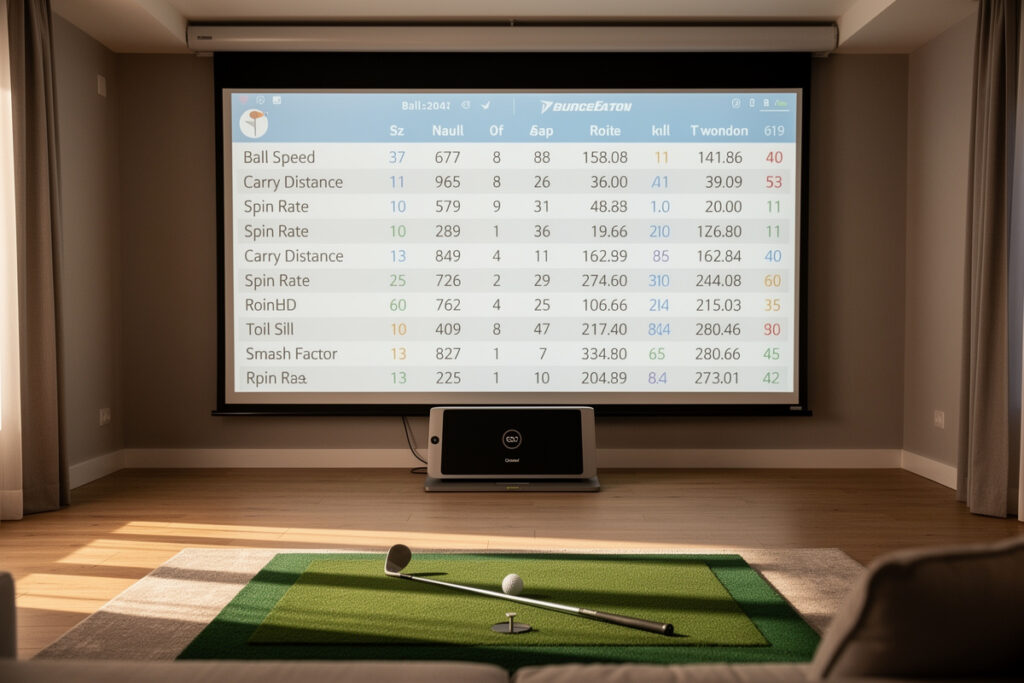
Golf simulator shot data explained simply: every shot produces two families of numbers, ball data (what happened to the ball) and club data (what your club did to cause it), and a typical home photometric unit reports 10 to 14 of them per swing. Knowing which is which is the whole skill.
When I first set up my sim room I stared at a wall of numbers after every shot and understood maybe three of them. Years of running my Garmin Approach R10 next to a SkyTrak+-class photometric unit on the same swings taught me what each metric actually means, which ones to trust at which price, and which ones to quietly ignore until my strike cleans up. This is the plain-language decoder I wish I’d had.
What Is the Difference Between Ball Data and Club Data?
Ball data measures the ball after impact, ball speed, carry, spin rate, launch angle, spin axis. Club data measures the clubhead through impact, club speed, attack angle, club path, face angle. Ball data answers “what happened,” club data answers “why,” and every monitor captures ball data more reliably than club data.
This split is the most useful mental model in the whole hobby. Ball data is captured directly by every unit on the market, even a sub-$300 radar reads ball speed and estimates carry with usable accuracy. Club data is harder, and the way a unit gets it (measured versus inferred from ball flight) is exactly what separates a $600 monitor from a $6,000 one. In my room the ball numbers track close between my budget and photometric units; it’s the club-delivery numbers where they diverge. Learn this divide first and the rest of the data table stops being intimidating.
What Does Ball Speed and Carry Distance Tell You?
Ball speed is how fast the ball leaves the face, and carry is how far it flies through the air, the two numbers that actually map to real-course club selection. A solid amateur seven-iron carries roughly 140 to 155 yards with ball speed near 105 to 115 mph.
Carry is the number I check before anything else, because it’s what you play golf with, the distance the ball lands, not the total with roll the sim adds afterward. Ball speed underpins it: more ball speed, more potential carry, which is why ball speed (not club speed) is the cleaner power number to track. These two are reliable on essentially every monitor, so they’re where a beginner should anchor. If your carry numbers are jumping 20 yards on the same club, that’s a contact story, not a swing-speed one, and the next metric explains why.
What Is Smash Factor and Why Does It Matter?
Smash factor is ball speed divided by club speed, a ratio that measures how efficiently you transferred energy to the ball, in other words, how centered your strike was. A driver smash near 1.50 is excellent; a mid-iron near 1.40 is a realistic home target.
I think of smash factor as the data table’s lie detector. You can swing harder all day, but if smash drops you’ve moved off the center of the face and the extra effort is wasted. It cuts straight through the self-deception that distance chasing invites. When I run a winter speed block, smash is the number I guard, the instant it falls I know I’ve left the sweet spot. Track it across a ten-ball group and read the consistency, not the single best shot. A repeatable 1.46 driver smash beats one screaming 1.50 followed by four toe strikes, because golf is scored on your average, not your highlight reel.
| Metric | Family | Typical Home Range | What It Reveals |
|---|---|---|---|
| Ball speed | Ball | Driver 130-160 mph | Energy into the ball |
| Carry distance | Ball | 7-iron 140-155 yds | Real club selection |
| Spin rate | Ball | Driver 2,200-2,800 rpm | Height and stopping power |
| Launch angle | Ball | Driver 12-16 degrees | Trajectory window |
| Smash factor | Derived | Driver up to 1.50 | Strike efficiency |
| Spin axis | Ball | Tilt left or right | Curve direction |
How Do You Read Spin Rate and Launch Angle?
Spin rate is how fast the ball is backspinning, and launch angle is the vertical angle it leaves on, together they set your trajectory and how the ball behaves when it lands. A driver wants lower spin (roughly 2,200 to 2,800 rpm) and a moderate launch; irons want more spin to stop on the green.
These two are where the sim earns its keep over a range, because outdoors you simply can’t see them. Too much driver spin balloons the flight and steals carry, a classic fault I diagnosed in my own bag one winter when my drives kept climbing and dying short. Too little iron spin and approaches release off the back of the green. The pairing matters: a high launch with low spin is the long-drive profile, while low launch with high spin is the dreaded “knuckleball that won’t stop.” Read them together, never alone. One caution, spin is the metric cheaper units estimate least reliably, so trust the trend across a group rather than a single eye-popping number.
What Are Attack Angle and Club Path?
Attack angle is whether the club is moving up or down at impact, and club path is its left-right direction through the ball. These are club-data numbers, the ones most often estimated rather than measured on units under roughly $2,000, so read them carefully.
Attack angle is genuinely trainable and useful, a positive number with the driver adds carry, a negative one with irons compresses the strike. Club path interacts with face angle to create the curve. But here’s my hard-earned rule: if your unit is estimating these from ball flight rather than watching the clubhead, treat them as directional hints, not gospel. I once spent three weeks “fixing” an out-to-in path my budget radar invented in a short room, the ball was flying straight the whole time. The deeper treatment of placement and trust lives in the dedicated attack angle data guide.
What Does Spin Axis Tell You About Curve?
Spin axis is the tilt of the ball’s spin, and it directly explains which way and how much the ball curves, a left tilt produces a draw for a right-hander, a right tilt a fade or slice. The number is reported in degrees of tilt, and a few degrees is the difference between a gentle shape and a wipe into the trees.
Spin axis is one of those metrics the range can never show you, and it’s quietly one of the most useful in the table once you stop fixating on distance. In my room I watch spin axis when I’m working a shot shape on purpose, dialing a small, repeatable tilt rather than fighting a big one. It pairs with club path and face angle to tell the whole curve story: the face mostly decides start direction, the path-versus-face relationship decides the curve, and spin axis is the readout of that relationship. The practical move is to treat a creeping spin axis as an early warning, if your tilt is drifting more positive over a session, your face is opening relative to your path and a slice is on the way before the ball flight makes it obvious. Catching that on the screen before it shows up on the scorecard is exactly the kind of pattern a home sim reveals.
How Many Shots Before the Data Means Anything?
Read groups of at least 8 to 10 shots with the same club and use the median, never a single swing. One outlier, good or bad, is noise; a repeatable cluster is a pattern you can actually train, and the median protects you from the best-shot bias your brain wants to believe.
This is the single discipline that turns a launch monitor from a toy into a coach, and it’s the habit most home golfers skip. Every unit has measurement error, and the cheaper the monitor the wider that error band, which means group reading matters more at the budget tier, not less. My routine is simple: ten balls, throw out the obvious mishits I felt at impact, read the median of the rest. The best shot is the one your ego frames; the median is the one that shows up on the course. If a number genuinely surprises you, your first question should be whether your equipment can even measure it accurately in your room, before you go rebuilding a swing around a single reading that may be an artifact.
Which Numbers Should You Actually Trust at Home?
Trust ball speed, carry, and launch angle on essentially any monitor; trust spin and smash as group trends rather than single shots; and treat club path and attack angle as directional unless your unit genuinely measures the club. The cheaper the unit, the more this hierarchy matters.
This trust hierarchy is the practical takeaway from years of side-by-side testing in my room. The honest breakdown of where budget units start to wobble is in the radar vs photometric comparison, and the specific limits of the most popular home unit sit in the Garmin R10 honest-limits piece. Once you know which numbers are solid, the next step is turning them into practice, which is exactly what the data-to-practice guide covers. And the full picture of how all these metrics fit together lives in the swing analysis hub.
Frequently Asked Questions
What is the most important golf simulator metric for beginners?
Carry distance, because it maps directly to real-course club selection. Ball speed and launch angle come next. Leave club path and attack angle until your strike is consistent, since those are often estimated rather than measured on budget units.
What is a good smash factor for a home golfer?
A driver smash factor near 1.50 is excellent and a mid-iron near 1.40 is a realistic home target. Read it across a group of shots rather than a single swing, since one centered strike does not prove a repeatable pattern.
Why does my simulator spin rate look wrong?
Spin is the number cheaper monitors estimate least reliably, especially radar units in short rooms. Trust the trend across eight to ten shots rather than any single reading, and verify against a photometric unit if a value looks impossible.
Is club path data on a budget launch monitor accurate?
Often it is estimated from ball flight rather than measured directly on units under roughly two thousand dollars. Use club path and attack angle as directional hints, not precise coaching inputs, until you own a unit that genuinely captures the clubhead.
What is the difference between carry and total distance?
Carry is how far the ball flies through the air, the number you select clubs with. Total adds the roll the simulator estimates after landing. Always train and club off carry, since roll varies hugely with the surface and conditions.