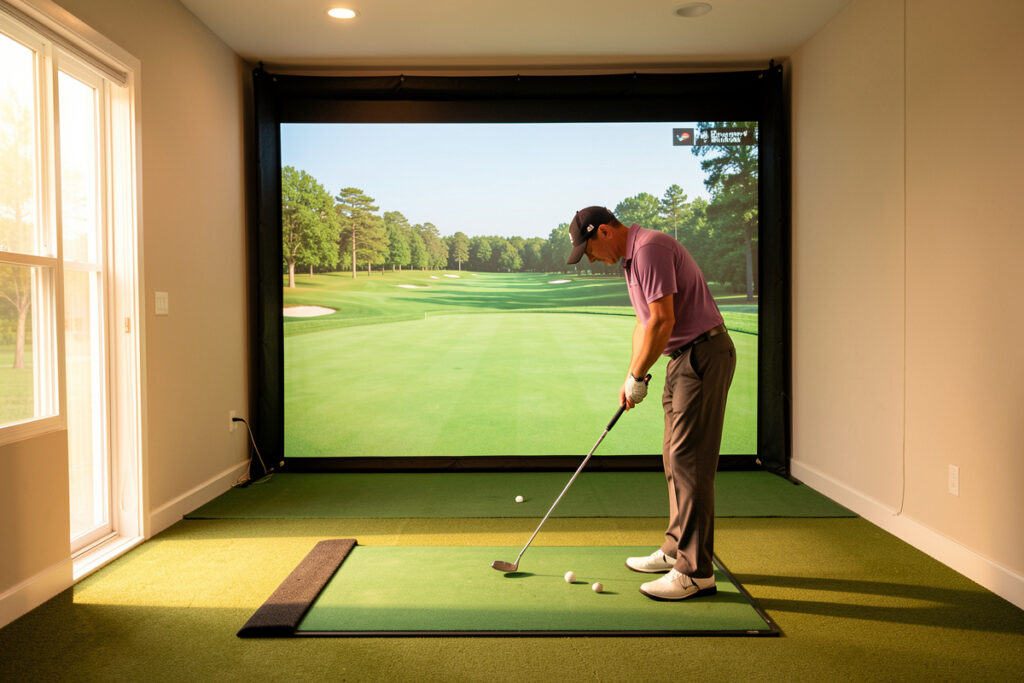
Putting is the part of a golf simulator that nobody demos and everybody quietly fights with. The short version: a sim reads a full swing far better than it reads a putt, because a putt is a slow, low-spin roll of just a few meters per second that most launch monitors are not built to track. In my sim room I treat putting as the weakest link in the whole chain — and once you accept that, you set it up far more sensibly.
This guide is the room-first, data-honest version. I have run putts through radar and photometric monitors in the same session, watched the same stroke read three different distances, and rebuilt my mat and software setup more than once to make indoor putting tolerable. Below is everything I would tell a friend before they spend a krona trying to “fix” their sim putting — including the times the right answer is to stop putting in the sim at all.
Why putting is the sim’s weakest link
A launch monitor is engineered around ball speed, launch angle and spin from a struck shot — numbers in the tens-of-meters-per-second range with thousands of RPM of backspin. A putt is the opposite: a few meters per second, almost no spin, rolling rather than flying. That is a measurement problem, not a marketing one, and it is why putting feels “off” on nearly every home sim regardless of price.
The honest framing I use is simple. The sim is a full-swing practice machine first. Putting is a bonus mode that ranges from “good enough for a casual round” to “actively misleading,” depending on your monitor, your mat and your software settings. If you walked in expecting green-reading realism, that expectation is the first thing to recalibrate. I wrote a whole companion piece on why sim putting frustrates golfers because the frustration is structural, not a sign you set something up wrong.
How a launch monitor actually reads a putt
There are three broad ways the gear in front of you turns a putt into a distance on screen, and they fail in different ways. Radar (Doppler) units track the ball’s motion through the air; a putt barely leaves the turf and moves slowly, so radar has the least data to work with and tends to be the twitchiest on the green. Photometric (camera) units photograph the ball and its markings at impact; given a clean line of sight and a marked ball, they read the start direction and speed of a roll more reliably. A handful of monitors add a dedicated putt sensor or putt mode that switches the unit’s logic specifically for low-speed rolls.
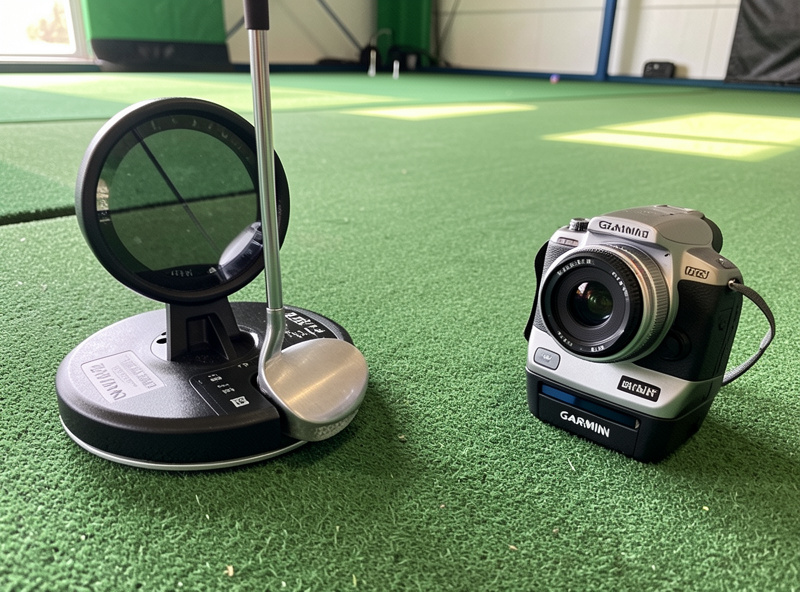
In my room the pattern is consistent: my Garmin Approach R10, a radar unit I know to its edges, is the least convincing putter of the bunch — short putts especially can read long or simply not register a tap. My SkyTrak+-class photometric unit, with a properly marked ball and the camera seeing the strike, is noticeably steadier on start line and pace. None of them replace the feedback your hands give you on a real green. The takeaway is to match your expectations to your hardware before you blame yourself.
| Monitor type | How it reads a putt | Typical putting weakness | Example in my room |
|---|---|---|---|
| Radar (Doppler) | Tracks ball motion through air; little data on a slow roll | Twitchy on short putts; can miss taps or read long | Garmin Approach R10 |
| Photometric (camera) | Photographs ball and markings at impact for start line and speed | Needs clean sight line and a marked ball; mat reflections hurt it | SkyTrak+-class unit |
| Dedicated putt sensor / mode | Switches to low-speed logic or a separate sensor for rolls | Still bound by mat realism; varies by firmware | Overhead-class units (bench time) |
| Optical putting add-on | Separate camera or sensor purpose-built for putting only | Extra cost and another device to align | Add-on territory, not owned here |
If you want the deeper version of this trade-off for the full swing — which carries straight into how a unit handles a putt — my radar vs photometric breakdown and the plain-language shot data guide both go further than I can here. The honest limits I found with the R10 covers exactly where a budget radar unit runs out of room, putting included.
The mat problem: why sim putting feels wrong
Even with a perfect monitor read, the surface under the ball decides whether a putt feels real. A standard hitting mat is built to take driver-and-iron strikes, not to roll a ball true. The nap is denser and faster than most outdoor greens, seams and edges throw the ball offline, and the firmness gives you none of the give a real green has. So the stroke that the screen rewards is not the stroke that works on grass.
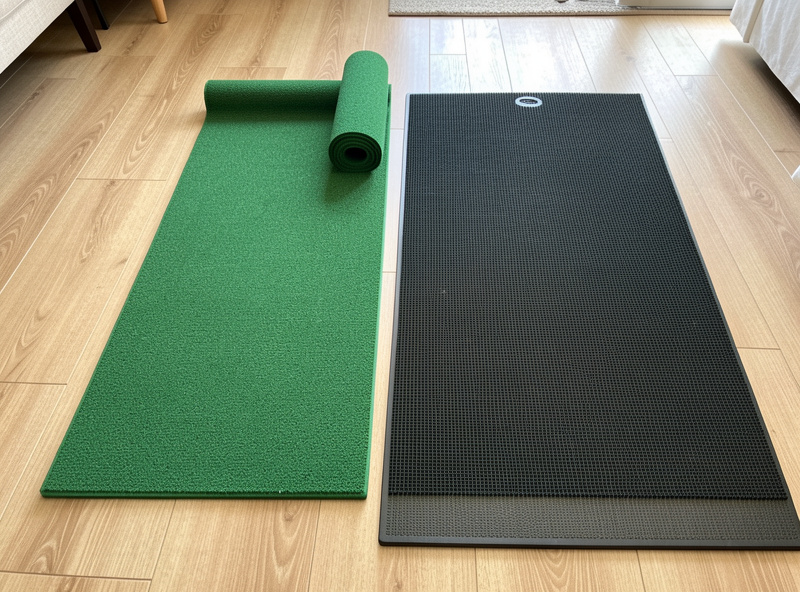
This is why a separate putting surface matters more than another monitor upgrade for most people who care about the short game. A proper putting mat — true roll, consistent speed, enough length to read pace — turns putting from a novelty into something you can actually feel. I go through the surfaces I have rolled balls across, what to look for, and where the cheap ones fail in my putting mat guide for golf sims. If you are still choosing a primary hitting surface, the same honesty about lie and feel applies to the overall budget breakdown — the mat is not where to save.
Software: what GSPro and E6 do with putt data
Once the monitor hands a putt to the software, the software decides what happens on screen — and this is where a lot of the “fix” actually lives. GSPro, my daily driver, lets you tune how putting behaves: green speed (stimp), how the monitor’s putt reading is interpreted, and gimme or auto-putt options that take very short putts out of your hands. E6 Connect handles it differently, with its own putting feel and course green models. Neither is objectively “correct” — they are different physics opinions.
The settings you touch matter as much as the hardware. A green-speed value that does not match your mat will make every putt feel impossible. An auto-putt or gimme distance set sensibly keeps a casual round flowing instead of stranding you tapping at a ball the monitor will not register. I keep the exact controls I change, and why, in the GSPro putting settings guide. For the broader engine comparison, my GSPro vs E6 Connect comparison and the course ecosystem guide put putting in context with everything else the software does.
Three ways people set up putting in a sim room
There is no single right answer, but there are three honest setups, and choosing deliberately saves you money and frustration. The integrated approach runs everything through the sim and software — simplest, least realistic. The hybrid approach uses the sim for the full swing and a dedicated putting surface (often with auto-putt for very short ones) so the feel improves without abandoning the round. The separate approach keeps a real putting practice station entirely apart from the sim, treating them as two different tools.
| Setup | What it is | Best for | Main trade-off |
|---|---|---|---|
| Integrated | All putting through the sim and software | Casual rounds, tight spaces, lowest cost | Least realistic feel and read |
| Hybrid | Full swing in the sim, dedicated putting mat for feel | Most home builders who play full rounds | Needs floor space for a second surface |
| Separate | Real putting station kept apart from the sim | Anyone serious about pace and feel | Two stations to house and maintain |
I land in the hybrid camp for rounds and the separate camp when I genuinely want to work on pace. The case for keeping the two apart is strong enough that I wrote it up on its own: why I separate putting practice from the sim. It is the single most useful change most people can make, and it costs less than a monitor upgrade.
My room setup for putting
My sim space was planned around the full swing first — ceiling height, swing clearance, screen offset and depth all sized for driver before anything else, the same way my room requirements guide lays it out. Putting got fitted in afterward, which is the right order. I keep a true-roll putting mat that I can roll out in front of the enclosure on the floor I already accounted for in the room depth zones.
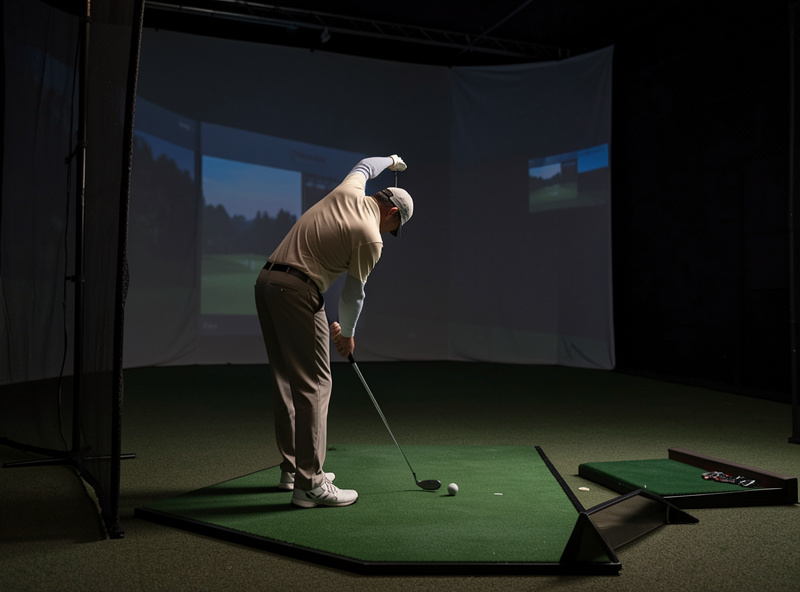
For casual rounds I let GSPro handle short putts with a sensible gimme and putt the longer ones on the mat through my photometric unit, which reads start line best. When I want real feedback I turn the sim off entirely and just roll putts on the dedicated mat, watching the ball and not a screen. That split — screen for the game, no screen for the craft — is the most honest setup I have found, and it sidesteps the read problems instead of pretending to solve them.
What to buy first for sim putting
The room-first buying order I push everywhere applies here too: spend on the surface before the sensor. A dedicated putting mat improves your putting feel more than a more expensive launch monitor will, because the monitor is fighting physics on a slow roll while the mat is the thing your stroke actually touches. After the mat, the free win is software: dialing green speed and gimme settings to match your surface costs nothing and removes most of the daily annoyance.
Only after both of those would I think about a dedicated putting sensor or an optical putting add-on, and even then mostly if putting is genuinely the reason you built the room. For most people, the sim is a winter full-swing machine and putting is a hybrid bonus — set expectations there and you will be far happier. If you are building the room from scratch, slot putting into the broader plan using the budget breakdown and the winter practice guide rather than treating it as an afterthought. You can find a true-roll putting mat through this indoor putting mat search on Amazon if you want a place to start comparing surfaces.
As an Amazon Associate I earn from qualifying purchases.
The ball and marking detail nobody mentions
One small thing changes how well a photometric unit reads a putt: the ball and its alignment mark. Camera-based monitors read the dimples and any printed line as they roll, so a clean, well-marked ball gives the unit something to track and a scuffed or unmarked one gives it less. On my mat a ball with a bold alignment line both helps me aim and helps the camera read start direction, which quietly removes a chunk of the “the screen disagrees with me” problem.
It also pays to use the same ball for putting that you use for full shots in a session, so the unit is not switching between read profiles. None of this rescues a radar unit on a slow roll — it has nothing to photograph — but for camera units it is a free improvement most people skip. It is the kind of detail you only notice after a few hundred indoor putts wondering why one ball reads cleaner than another.
The sim putting mistakes I see most
Most indoor putting misery comes from a handful of avoidable setup errors, not from a bad stroke. The first is putting straight onto the firm hitting mat and then deciding you have lost your touch — the mat is fast and dead, so of course pace feels wrong. The second is leaving the software green speed at a default that has no relationship to your surface, which turns a five-foot putt into a guessing game. The third is asking a radar unit to read taps it physically cannot see.
The fourth, and the one I made myself early on, is fighting reflections. A glossy mat or a bright projector spilling onto the putting area confuses a photometric unit’s camera, so it misreads start line and you chase a problem that lives in your lighting, not your stroke. My enclosure blackout and lighting guide covers why controlling stray light helps every part of the sim, putting included. The fifth is treating a missed read as a missed putt — when the screen disagrees with what your eyes saw the ball do, trust your eyes and check your settings, not your nerve.
If you remove those five, sim putting goes from maddening to merely imperfect, which is the honest ceiling. A dedicated surface, a matched green speed, a monitor suited to slow rolls and controlled light around the putting zone get you most of the way. Everything past that is the gap between any indoor surface and a real, contoured, living green — a gap no amount of money fully closes.
Outdoor putting vs sim putting: what actually transfers
The useful question is not whether sim putting is “real” — it is which parts of it carry to the course. Stroke mechanics and a repeatable setup transfer well: a flat indoor surface is a fine place to groove a square face and a consistent tempo through a long winter when the outdoor greens are frozen or under snow. That continuity is the genuine value, and in a Swedish off-season it is the difference between starting spring rusty and starting it grooved.
What does not transfer is green reading. A real green has slope, grain, moisture and a stimp that changes hour to hour; a mat is flat, dry and constant. So the indoor surface trains your stroke but not your judgment of break and pace under real conditions. I treat my mat as a tempo-and-face tool and accept that reading greens is a skill I can only sharpen outdoors. Framing it that way keeps me from over-trusting an indoor putt and from blaming the sim for not teaching something it was never going to teach. The winter practice guide goes deeper on which sim drills carry to the course and which are flattery.
Frequently Asked Questions
Why does putting feel so bad on a golf simulator?
A putt is a slow, low-spin roll, which is the hardest motion for most launch monitors to track accurately. Combine that with a firm hitting mat that rolls faster than a real green, and the stroke the screen rewards is not the stroke that works on grass. It is a structural limitation, not a setup mistake.
Which launch monitor type is best for sim putting?
Photometric camera units generally read putts more reliably than radar units, because a slow roll gives radar very little data to work with. A monitor with a dedicated putt sensor or putt mode does best. In my room a photometric unit is steadier on short putts than my radar-based Garmin R10.
Do I need a separate putting mat for my golf sim?
For realistic feel, yes. A standard hitting mat is built for driver and iron strikes, not true roll, so its dense nap runs fast and its edges push the ball offline. A dedicated putting mat with consistent speed and enough length improves putting more than another monitor upgrade for most builders.
Can I just turn off putting in the sim?
Yes, and many people should. GSPro and E6 Connect both offer gimme or auto-putt settings that take short putts out of your hands so a round keeps flowing. Plenty of home builders use the sim for the full swing and practice real putting on a separate mat with no screen at all.
Will practicing putting in a sim lower my scores?
That depends on far too many factors to promise. What a sim putting setup can give you is a consistent indoor surface to keep a stroke grooved through a long off-season, and software to play full rounds. Treat it as practice continuity through winter, not as a guaranteed result on the course.
What should I spend money on first for sim putting?
The surface before the sensor. A dedicated true-roll putting mat improves feel more than a pricier launch monitor, because the monitor is fighting physics on a slow roll while the mat is what your stroke touches. After the mat, tune your software green speed and gimme settings, which is free.