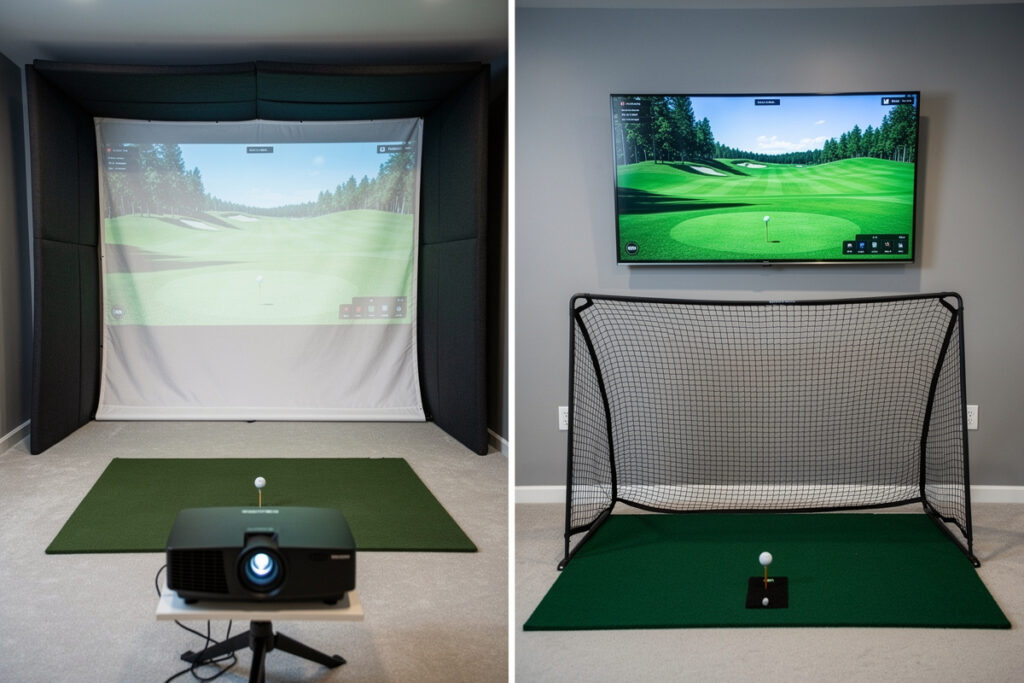
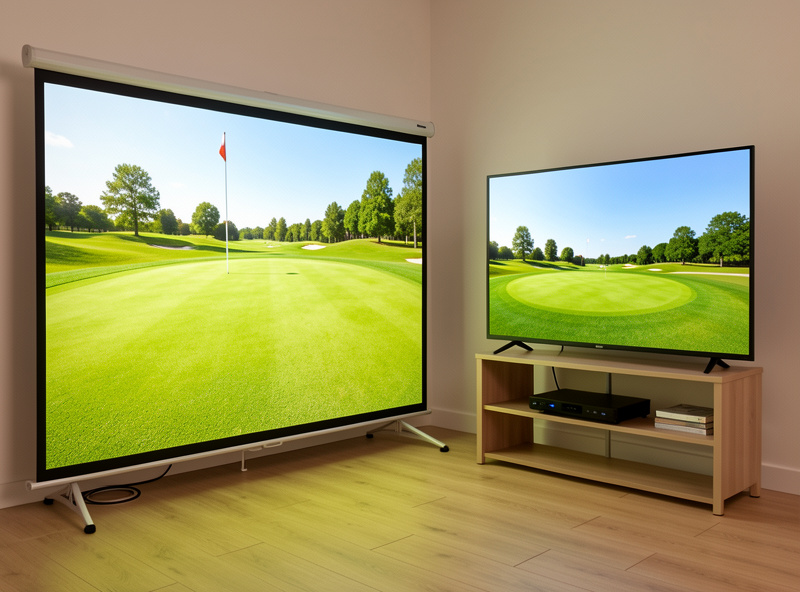
For a full golf simulator enclosure you need a short-throw projector, not a TV, because the projection surface is the same impact screen that takes ball strikes and a TV cannot survive being hit. A TV only makes sense in a net-only setup where the display sits safely off to the side. Inside an enclosure, projector wins by default; outside one, a TV can work.
I aligned a short-throw projector into my own enclosure for exactly this reason, and the keystone fight was worth it. The question people actually mean when they ask “projector or TV” is usually “can I save money with a TV I already own” — and the honest answer depends entirely on whether you are building a screen enclosure or a net. This guide draws that line clearly, the way I’d explain it to someone before they buy the wrong thing for their DIY golf simulator enclosure.
Why Does an Enclosure Need a Projector?
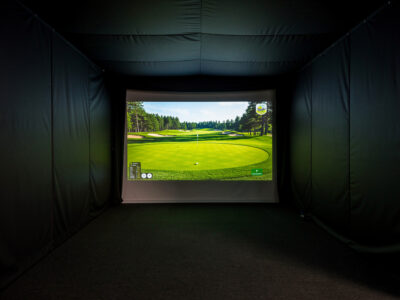
An enclosure needs a projector because the impact screen is both the display and the ball-stopping surface, and only a projector can put an image onto a surface that takes driver strikes. A TV is a rigid panel that would shatter on the first solid hit. The whole point of an enclosure is that you hit into the image, which a TV physically cannot allow.
This is the part beginners miss: in an enclosure the screen and the display are not two separate things. You are projecting onto the same panel you are hitting into, so the display has to be light, not glass. A short-throw projector fills that screen from a mount ahead of the hitter, out of the swing path. Once you understand that the screen does double duty, the projector requirement is obvious — there is simply no TV that survives being a golf target.
When Does a TV Actually Work?
A TV works in a net-only setup, where you hit into a net and the launch monitor’s image displays on a TV mounted safely off to the side or behind you, never in the ball’s path. This is a legitimate budget layout: a hitting net plus a TV running the sim software costs less than a screen enclosure and a projector. The trade-off is no projected image on the hitting surface.
I started on a net before I ever built an enclosure, and a side-mounted display is perfectly playable — you glance at the TV for your data and shot trace rather than watching the ball fly into a screen. It is less immersive than projecting a course onto the screen you hit into, but it is cheaper, shallower, and a great way to learn whether you will use the space. If your room cannot hold a full enclosure with bounce-back depth, the net-plus-TV route is the honest fallback, and it sidesteps the projector alignment fight entirely.
One caution if you go this way: mount the TV well clear of any possible ball path and angle it so you can read it from your address position without turning your whole body. A TV that forces you to crane around between shots gets ignored, and you lose the feedback that makes a sim worth having. The net-plus-TV layout trades immersion for simplicity, which is a fair trade in a tight or low-budget room — just place the screen where you will actually use it.
| Factor | Short-throw projector + screen | TV (net-only setup) |
|---|---|---|
| Works in full enclosure | Yes — image on impact screen | No — would shatter on impact |
| Image immersion | Large projected course | Smaller, off to the side |
| Setup difficulty | Keystone and mount alignment | Plug in and mount |
| Room depth needed | Throw distance + bounce-back | Shallower (net only) |
| Best for | Screen enclosures | Net setups, tight rooms, budgets |
Why Short-Throw and Not a Standard Projector?
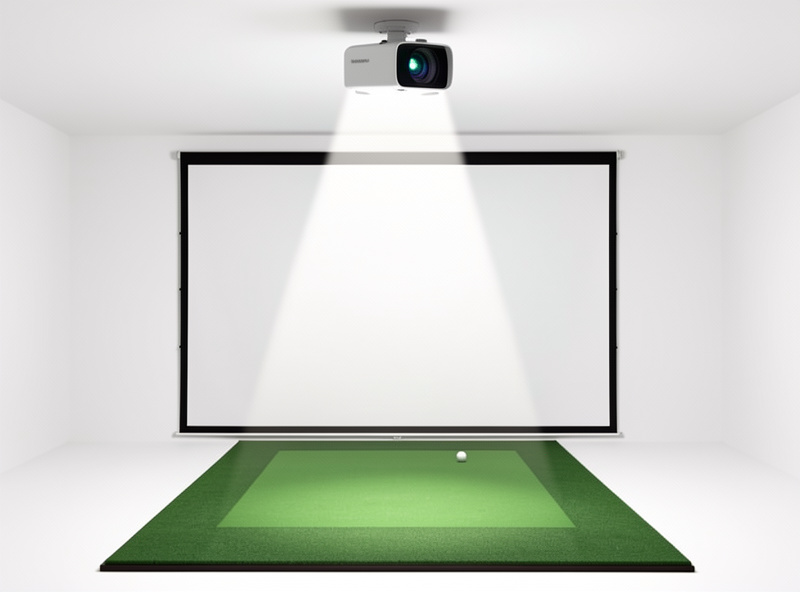
A short-throw projector fills the screen from a mount close to it, ahead of the hitting position, so neither your body nor your club blocks the beam. A standard long-throw projector has to sit far back, usually behind the hitter, where your head and swing cast shadows on the screen and your follow-through can clip the unit. Short-throw is the layout that fits a hitting space.
I mount mine on the ceiling ahead of the mat and slightly off-center, then correct the geometry in the lens. With a long-throw unit behind me, every swing threw a shadow and the projector was in the danger zone for a topped ball. The short-throw premium buys you a clean image from a safe, forward mount. This interacts directly with your ceiling height and throw distance, so the projector choice cannot be made apart from the room — the screen distance guide covers how throw, mount height, and swing clearance fit together.
How Much Brightness and Resolution Do You Need?
For a blacked-out enclosure, a moderately bright projector is enough; the bigger lever is room darkness, not raw lumens. A 1080p projector looks excellent on a home impact screen, and 4K is a nice-to-have rather than a requirement at normal viewing distances. Spend on a short-throw lens and getting the room dark before you chase brightness numbers.
This is where I push back on spec-sheet shopping. A modest projector on a fine screen in a properly blacked-out room looks better than a bright one fighting a washed-out space, which is why blacking out the enclosure matters as much as the projector itself. Resolution past 1080p is mostly invisible at the distance you stand from a home screen. Put the budget into a short-throw unit with decent contrast and into matte blackout fabric. The exception is a room with windows you cannot fully darken — there, more brightness genuinely helps, but the better fix is still to control the light rather than out-muscle it with lumens. Short-throw projectors suited to sim use are widely available; match the throw ratio to your room rather than buying on lumens alone. As an Amazon Associate I earn from qualifying purchases.
Where Should the Projector Be Mounted?
Ceiling-mount a short-throw projector ahead of the hitting position and out of the swing arc, never on the floor where balls land and never directly behind the hitter. The mount has to clear both your driver swing and a topped or shanked ball. Ceiling-forward is the standard safe position for a screen enclosure.
Floor placement is the mistake I see most in budget builds — the projector sits in front of the mat where it gets pelted and where bright dust kicks into the lens. Ceiling-forward keeps it out of harm and out of the beam path of your body. This is also where ceiling height becomes a hard constraint: the mount plus the projector body has to clear your raised driver, so a low ceiling can force the issue. The interaction of mount height, throw, and swing clearance is the same reason room planning comes before any hardware, and it is laid out in the room requirements guide.
What’s the Catch With a Projector?
The catch is alignment: a projector has to be keystoned and positioned so the image lands square on the screen, which a TV never needs. Get the mount and lens geometry right and rely on optical correction more than heavy digital keystone, which softens the image. It is an afternoon of fiddling that a TV skips entirely.
I keystoned mine three times before the rectangle sat true, and that is normal for a first build. The trick is to mount the projector level and centered to the screen so the lens does most of the work, then use only a little digital correction to finish. Heavy digital keystone throws away resolution and blurs the picture. This alignment cost is the real price of the projector route — and it is exactly why the net-plus-TV setup appeals to people who want to plug in and play. For a screen enclosure, though, the projector is the only option, and the alignment is a one-time job.
Frequently Asked Questions
Can I use a TV instead of a projector for a golf simulator?
Only in a net-only setup where the TV sits safely off to the side, never in the ball’s path. In a full enclosure you must use a short-throw projector, because the impact screen is also the display and a TV would shatter on a solid strike.
Why do golf simulators use short-throw projectors?
A short-throw projector fills the screen from a mount ahead of the hitter, so your body and club do not block the beam or cast shadows. A standard long-throw projector sits behind you, where swings throw shadows and the unit is in the path of topped shots.
Do I need a 4K projector for a golf sim?
No. A 1080p projector looks excellent on a home impact screen at normal viewing distance, and 4K is a nice-to-have rather than a requirement. Room darkness and a short-throw lens matter more for image quality than raw resolution.
Is a projector or TV cheaper for a golf sim?
A net-plus-TV setup is usually cheaper and shallower than a screen enclosure with a projector, especially if you already own a TV. But it gives a smaller side-mounted image instead of a projected course, and only works with a net, not a full enclosure.
How hard is it to align a golf sim projector?
Plan on an afternoon. Mount the projector level and centered to the screen so the lens does most of the work, then use a little digital keystone to finish. Heavy digital correction softens the image, so favor physical alignment over it.