The best golf impact screen material for a home build is multi-layer woven polyester: it survives repeated driver strikes, projects a sharp image, and runs roughly 120 to 350 dollars for a panel. Single-layer net-backed screens cost less but wear faster and show more weave texture in the picture. The material choice is the difference between a screen that lasts several seasons and one that develops a soft center in a single winter.
I run a commercial multi-layer panel in my own enclosure, and I got there by buying the cheap option first and watching it fail. This is the one component in a DIY golf simulator enclosure I would never improvise, because the screen takes every full-speed strike and is also your projection surface — it has two jobs and a bad material does neither well.
What Makes a Good Golf Impact Screen Material?
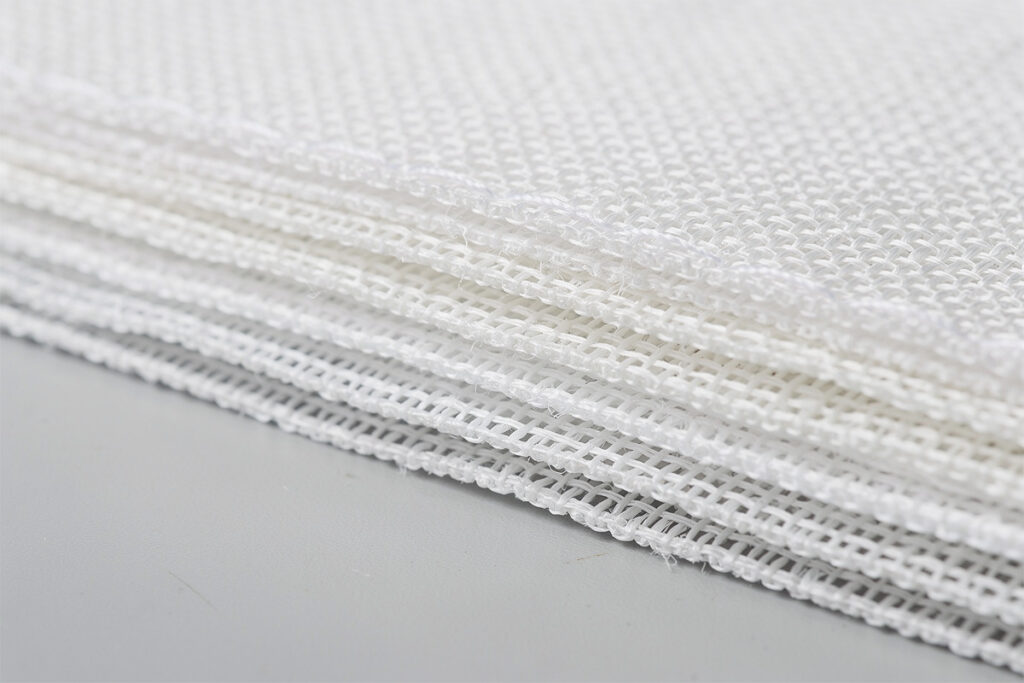
A good impact screen material is a tightly woven multi-layer polyester that absorbs ball energy without tearing and presents a flat, fine-textured surface for projection. The weave has to be dense enough that the image does not show through as a coarse grid, and the construction has to be layered so the front face takes the hit while the backing distributes the load. Brightness is a property of the projector; durability and image texture are properties of the screen.
The trap is buying on price or on a single brightness number. A thin single-layer screen looks fine in a product photo and shows visible weave the moment you project a bright sky onto it. On my first cheap panel the texture was distracting on light scenes and the center went soft where ninety percent of my shots landed. Multi-layer construction spreads that wear. When you read a listing, look for layer count and a stated swing-speed or ball-speed rating, not just a size and a price.
Multi-Layer vs Single-Layer Screens: What’s the Difference?
Multi-layer screens use two or three bonded fabric layers so the impact face wears while the backing holds shape; single-layer screens are one sheet that takes the full strike directly. Multi-layer panels cost more — often 200 to 350 dollars versus 80 to 150 for single-layer — but they last longer, sag less, and show a cleaner image. For anyone hitting driver regularly, the multi-layer is the honest recommendation.
Single-layer screens are not useless. If you only hit wedges and short irons, or you are testing whether you will use the space at all before committing, a single-layer panel gets you started cheaply. But it is a starter, not a destination. I treat the single-layer the way I treat a net: a way to learn the habit before the real build. The moment you are hitting full shots through a winter, the multi-layer pays for itself in not having to re-buy.
How Do You Read Impact Screen Specs Without Trusting Marketing?
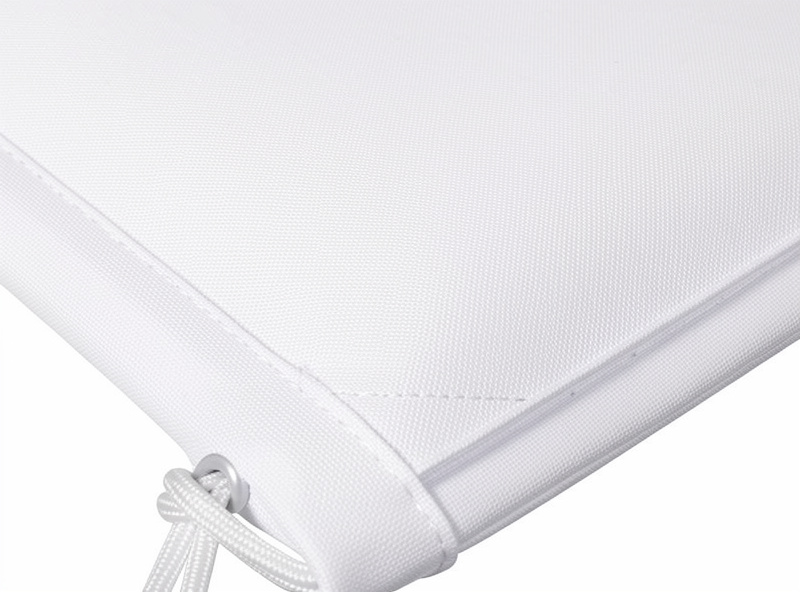
Read three things on any impact screen listing: the layer construction, the swing-speed or ball-speed rating, and the panel size relative to your frame. Ignore vague claims like “tour-grade” or “ultra-bright” that no spec backs up. The numbers that matter are how many bonded layers the screen has and what swing speed the maker rates it to handle.
If a listing gives a size and a price and nothing else, treat it as a single-layer starter regardless of what the headline says. A genuine impact panel will state its construction because that is its selling point. Size the panel a few inches larger than your frame opening on every side so you have material to grommet and tension — ordering exactly to the opening leaves nothing to grab and the screen sags into wrinkles. The opening itself is set by your room, so settle the room depth before you order a panel. Always confirm a maker’s own care and rating guidance against the actual product page rather than a reseller’s copy, because reseller listings routinely overstate what a screen can take. Impact screen panels for golf simulators on Amazon list layer counts and swing ratings you can compare directly. As an Amazon Associate I earn from qualifying purchases.
Why Does Screen Material Affect Image Quality So Much?
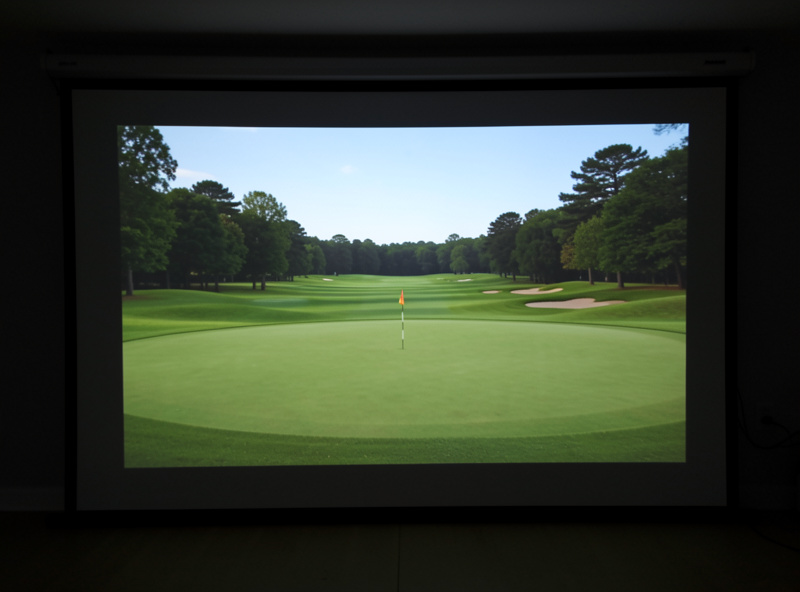
Screen material affects image quality because the weave texture and the surface color set how the projected light scatters back to your eye. A fine, even weave shows a smooth image; a coarse single-layer weave shows a visible grid, especially on bright, uniform scenes like sky or a sand bunker. The screen is as much a display component as the projector.
This is why I tell people not to think of the screen and projector as separate purchases. A modest projector on a fine multi-layer screen in a blacked-out enclosure looks better than a bright projector on a coarse screen in a washed-out room. The screen color matters too: a slightly off-white impact panel holds contrast better than a stark white sheet that blooms under projection. Pairing screen choice with the room’s lighting is the real lever, which is why blacking out the enclosure and choosing the right panel are two halves of the same job.
What Should You Never Use as an Impact Screen?
Never use a bedsheet, tarp, painter’s drop cloth, or shower curtain as an impact screen. None are built to absorb a driver strike: they tear, they wrinkle so the image is unusable, and a torn surface lets a ball through to whatever is behind it. The few dollars saved are not worth the ruined image and the safety risk.
I understand the temptation — the screen is the most expensive single part of the build — but it is expensive because it is doing the hardest job. A bedsheet has no give designed into it and no backing; it stretches once and stays stretched, then splits at the first thinned shot. If budget is the constraint, buy a small single-layer impact panel rather than improvising fabric. The cheapest real impact screen is still a real impact screen; the most expensive bedsheet is still a bedsheet.
Grommet-Edge vs Pocket-Edge: Which Mounting Style?
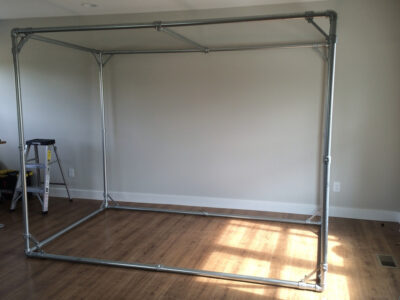
Grommet-edge screens have reinforced metal eyelets around the border that you tension with bungee cord; pocket-edge screens have a sewn sleeve you slide a frame bar through. Grommet edges give you adjustable, even tension and are the easier DIY choice; pocket edges look cleaner but demand the frame match the panel exactly. For a conduit build, grommets win because they forgive a frame that is a touch off-square.
I run grommets with bungee loops to the frame because they let me dial tension corner by corner and re-tension when the fabric relaxes over the first few weeks. A new screen always settles, and a grommet edge lets you take up that slack without rebuilding anything. A pocket edge has no give once it is on, so any frame imperfection shows as a permanent wrinkle. If you buy a pocket-edge panel, measure your frame twice and cut once, because there is no adjustment later.
How Long Does an Impact Screen Last?
A quality multi-layer impact screen lasts several seasons of regular home use; a single-layer screen may show a soft center within a single heavy winter. Lifespan depends far more on material and how the screen is hung than on how often you hit. A slack, properly tensioned multi-layer panel hit with clean indoor balls outlasts a drum-tight single-layer one hit with scuffed range balls.
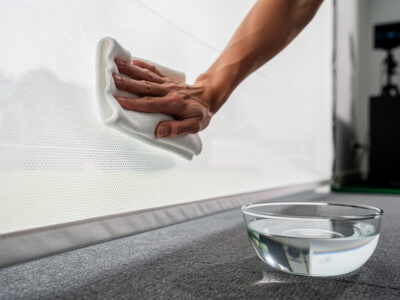
Two habits extend any screen: hang it with deliberate slack so it absorbs rather than resists, and keep it clean so ball scuff does not grind into the weave. I keep a dedicated set of clean indoor balls because grass-stained outdoor balls mark the screen far faster. The screen wears at the center where most shots cluster, so a panel sized with margin around the image area gives the weave room and ages more evenly than one where the image fills the whole surface.
The failure mode to watch for is not a sudden tear but a gradual softening at the center, where the weave loosens and the image starts to look slightly blurred in the strike zone. Once that soft spot appears it only grows, because the loosened fibers absorb less and let the next strikes stretch them further. Catching it early — by rotating where you tee up slightly, or by re-tensioning before the center bags out — buys extra seasons. A multi-layer panel resists this for years; a single-layer one is often the reason people think impact screens are consumable when really they just bought the starter material and hit it like the real thing.
Frequently Asked Questions
What is the best material for a golf impact screen?
Multi-layer woven polyester is the best material for a home golf impact screen. It absorbs repeated driver strikes, projects a sharp fine-textured image, and lasts several seasons. Single-layer net-backed screens cost less but wear faster and show more weave texture.
How much does a golf impact screen cost?
A single-layer impact screen runs about 80 to 150 dollars; a multi-layer panel costs 200 to 350 dollars. The multi-layer is the better value for anyone hitting driver regularly because it lasts longer and shows a cleaner image.
Can I use a bedsheet as a golf impact screen?
No. Bedsheets, tarps, and drop cloths tear under driver-speed strikes, wrinkle so the image is unusable, and can let a ball through. Even the cheapest real single-layer impact panel is far safer and projects a usable image.
Does the impact screen affect image quality?
Yes. The weave texture and surface color set how projected light scatters back. A fine multi-layer weave shows a smooth image; a coarse single-layer weave shows a visible grid on bright scenes. The screen is as much a display component as the projector.
What size impact screen should I order?
Order the panel a few inches larger than your frame opening on every side so you have material to grommet and tension. Sizing exactly to the opening leaves nothing to grab and the screen sags into wrinkles.
Related Guides
- DIY Golf Simulator Enclosure: Full Build Guide
- Golf Simulator Screen Distance
- Golf Simulator Room Requirements
More from This Cluster
- “Golf Sim Enclosure Blackout and Lighting Basics”
- “Projector vs TV for a Golf Simulator: Which to Choose”
- “How to Clean a Golf Impact Screen (and What Ruins One)”
- “Golf Sim Bounce-Back Safety: Screen Slack
- “EMT Conduit Golf Sim Enclosure Frame: A Build Walkthrough”
- “DIY Golf Simulator Enclosure: Frame